The Configuration UI feature lets you configure tenant-wide settings for Bosch IoT Rollouts.
Configuration overview
Open the Configuration UI feature by selecting Configuration from the main navigation menu.
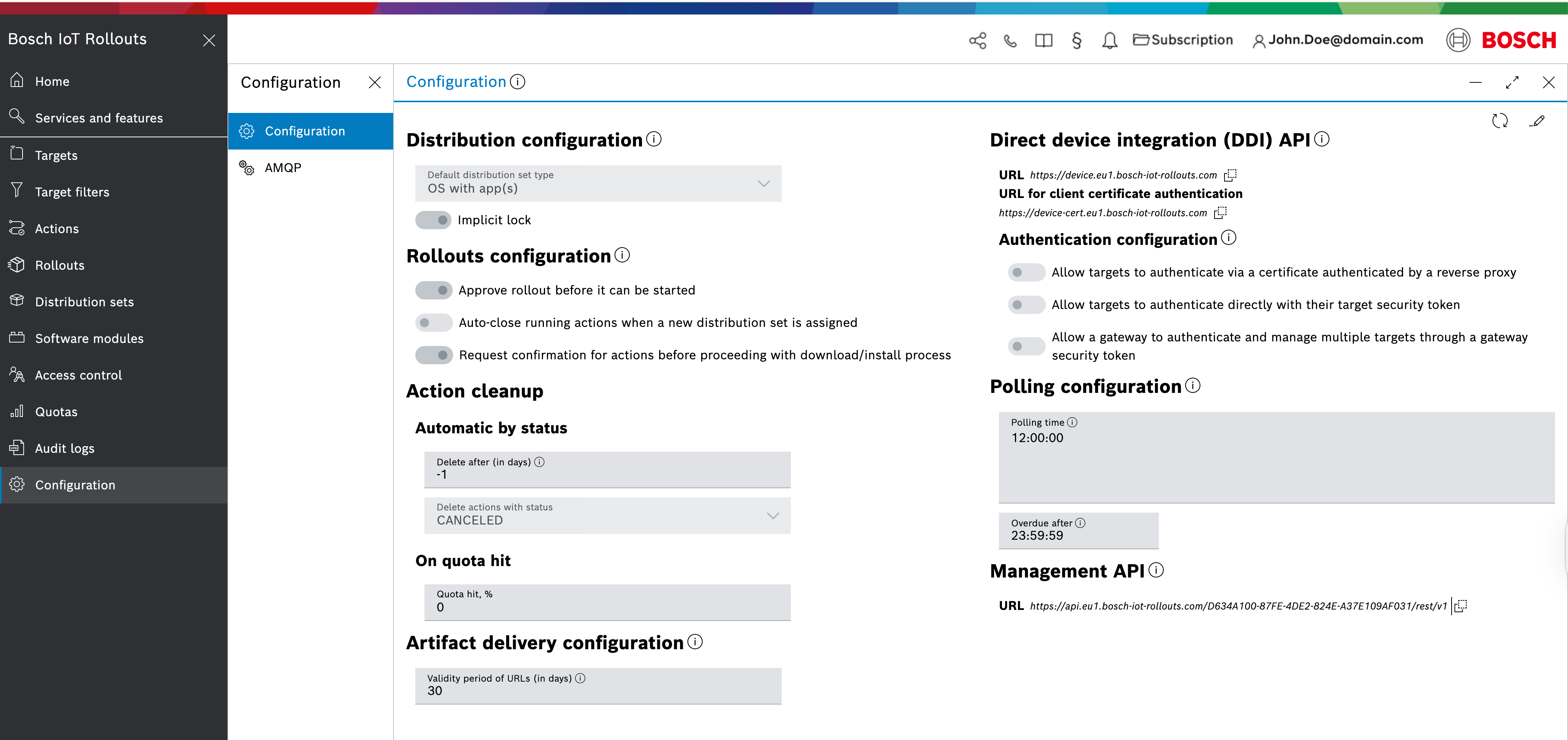
Let's have a look at each section of the view:
Distribution configuration
- Set a default distribution set type that is automatically selected when you create a distribution Set.
- Implicit lock is the only configuration enabled by default. When enabled, all distribution sets and software modules will be locked automatically when assigned. This will ensure they remain consistent during an assignment. Refer to Manage a distribution set and Manage a software module.
Rollouts configuration
- Enable or disable the Rollout approval workflow
- Automatically close running actions when a new distribution set is assigned to the particular rollout.
- Allows users to configure whether confirmation is required before proceeding with downloads or installations
Action cleanup
- on quota hit
Artifact delivery configuration
Allows specifying the validity period for URLs in days; the default is 30 days.
Direct device integration (DDI) API
- Access the DDI API via the first provided URL.
- Use the second URL when client certificate authentication is needed.
Authentication configuration
Enable or disable authentication modes for targets per:
Certificate
Target security token
Gateway security token
Polling configuration
Configure poll time intervals for your targets.
- The poll time is sent directly to the target and specifies the time intervals during which it should send poll requests. Allowed range (HH:MM:SS): 00:05:00 - 23:59:59.
- The overdue poll time defines the period after the Rollouts server marks the device as not responding if it does not send polling requests. Allowed range (HH:MM:SS): 00:05:00 - 23:59:59.
Management API
Access the Management API via the provided URL.
Device management federation (DMF) API
Enable the Device Management Federation API.
The DMF API is available only for paid subscription plans.
Service integration event (SIE) API
Enable the Service Integration Event API.
The SIE API is currently available in region EU1 and only for paid subscription plans.
Change configurations
As soon as you understand what each configuration means and its effect on Bosch IoT Rollouts, you can start making changes.
To enter edit mode, click the Edit icon on the right side of the view.
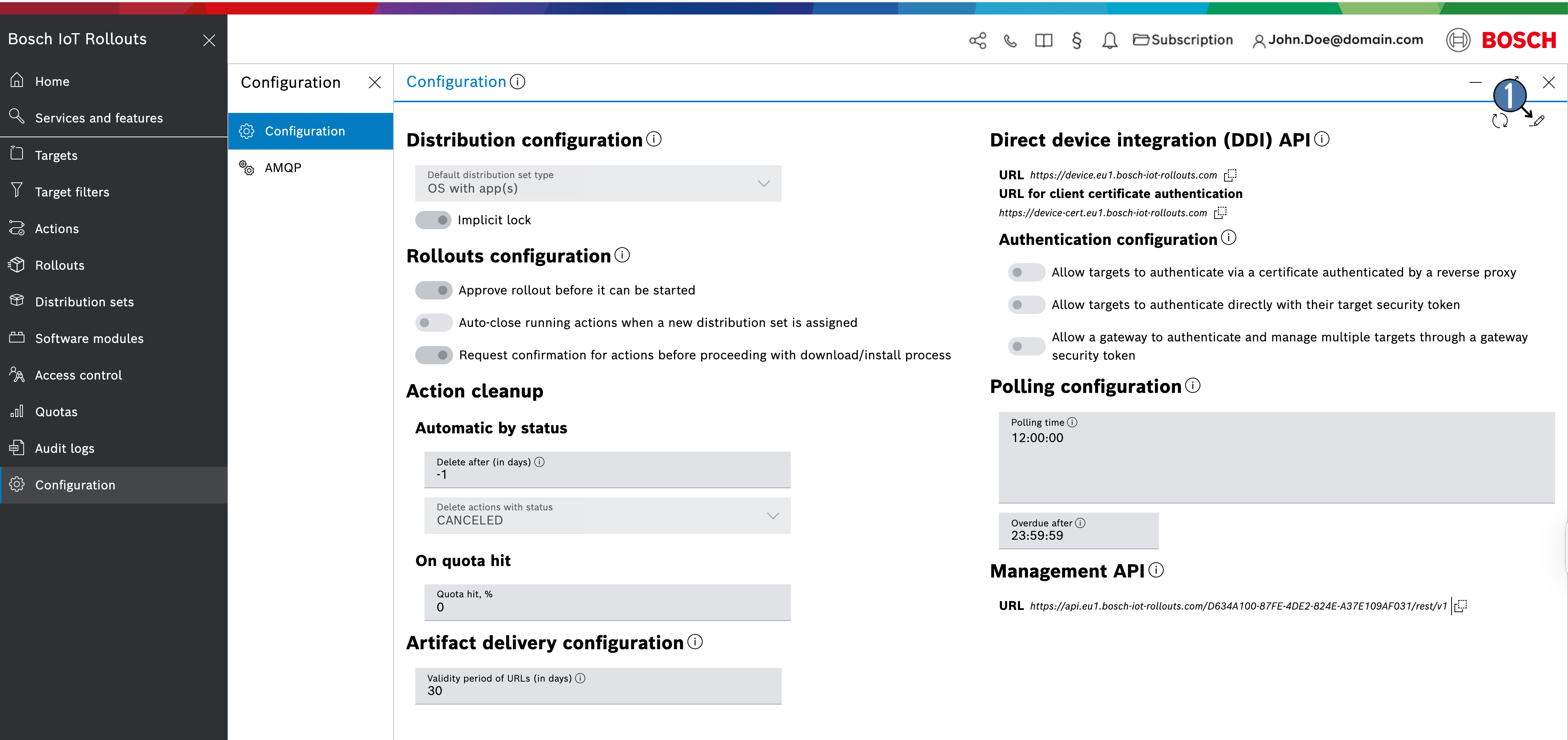
All dropdowns, toggles, and input values will become active and editable.
If a change to a specific configuration is not necessary, you can reset it by clicking the Reset configuration icon, which appears to the right of each edited value.
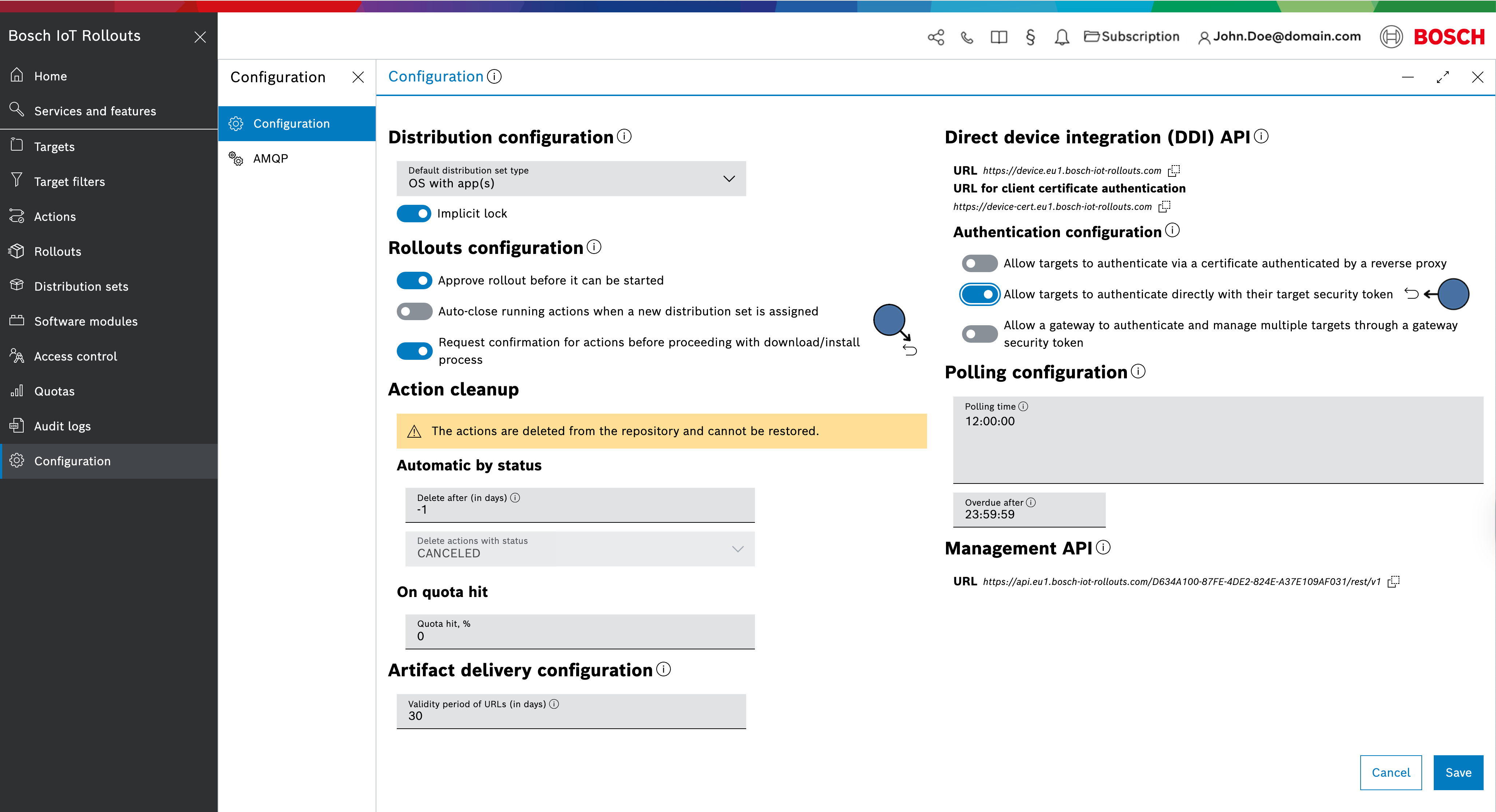
You can reset all changes by clicking the Cancel button.
To persist the changes, click the Save button.